Controls
Every letter means the same thing whether you’re flying, in low flight or on foot. On phones and tablets the game shows only the touch buttons that would do something right now.
Keyboard and mouse
Section titled “Keyboard and mouse”Flying
Section titled “Flying”| Action | Key |
|---|---|
| Pitch and yaw | Drag the mouse, or the arrow keys (Up puts the nose down, like a flight stick) |
| Roll | A / D |
| Yaw | Q / E |
| Throttle | W / S, the wheel, X to stop |
| Boost | Shift (or Tab) |
| Up and down | R / F |
| Slide sideways | , / . (A / D in low flight) |
| Fire lasers | Space |
| Flight assist on or off | Z |
| Chase, cockpit or free camera | V |
| Free camera orbit | Drag, and the wheel to zoom |
Travel
Section titled “Travel”| Action | Key |
|---|---|
| Discovery scan (honk) | Hold H |
| Next target | T |
| Bodies list | B |
| Cargo hold and credits | K |
| Pilot stats | P |
| Ship’s computer: ship status, missions, log and Codex | O |
| Galaxy or planet map | M |
| Supercruise, or climb to orbit | C |
| Hyperspace jump | J |
| Gear: dock, land, take off | G |
| Ship lights (near the ground) | L |
| Leave the pilot seat (normal flight) | U |
| Message your party | Y |
| Photo mode | F2 (Space takes the photo, Esc or F2 to finish) |
To dock by hand, fly in through the station’s slot.
On foot
Section titled “On foot”| Action | Key |
|---|---|
| Walk | WASD |
| Run | Shift |
| Look | Mouse (Esc frees the cursor) |
| Use: lifts, seats, airlocks, counters | E |
| Jump (hold in the air for the suit’s jets) | Space |
| Jets forward, four times a run (on the jets) | Shift |
| Fire (on a surface) | Hold the mouse button |
| Change weapon | Wheel, or 1, 2, 3 |
| Practice drone | T |
| Call your ship (outside on a world) | O |
| Your gear | I |
| Use your ability or supply | G |
| Next ability or supply | N |
| Flashlight, ship lights | L, Shift+L |
| Build outpost modules | B |
| Rotate, place, cancel a module | R, E or click, Q |
| Spacewalk: push off, thrust up and down, reel in | Space, R / F, E |
| Weld a hull patch on a damaged spot | E (with a patch kit) |
Flying
Section titled “Flying”| Action | Control |
|---|---|
| Steer | Left stick |
| Roll | ⟲ ⟳ |
| Throttle | Right slider |
| Slide and climb | ◀ ▲ ▼ ▶ |
| Boost | Boost |
| Fire lasers | Hold Fire |
| Discovery scan | Hold Scan |
| Next target | Target |
| Supercruise, or climb to orbit | Cruise |
| Hyperspace jump | Map, then a star, then Jump |
| Dock / land | Dock / Land |
| Chase, cockpit or free camera | View |
| Cargo, stats, ship status, leave the seat | Buttons along the top (Cargo, Stats, Ship, Leave seat) |
| Photo mode | Photo (top) |
On foot
Section titled “On foot”| Action | Control |
|---|---|
| Walk | Left stick |
| Run | Run, or push the stick to its edge |
| Look | Drag on the view |
| Use | Use |
| Jump | Jump |
| Fire | Hold Fire |
| Change weapon | The weapon button above Fire |
| Ability or supply | The ability button by Fire, › for the next |
| Gear | Gear (top) |
| Practice drone, build, lamp, call your ship | Drone, Build, Lamp, Call ship |
| Spacewalk: push off, up and down, reel in | Jump, ▲ ▼, Use |
Photo mode
Section titled “Photo mode”Photo along the top (or F2) hides everything over the view. The game goes on underneath: in flight the free camera still orbits the ship (pick it with View first), and on foot you can still walk and look about. Tap the round shutter (or press Space) to take the picture, then Share it to another app, where your device can share pictures, or Save it. Done (or Esc) brings the controls back.
Settings
Section titled “Settings”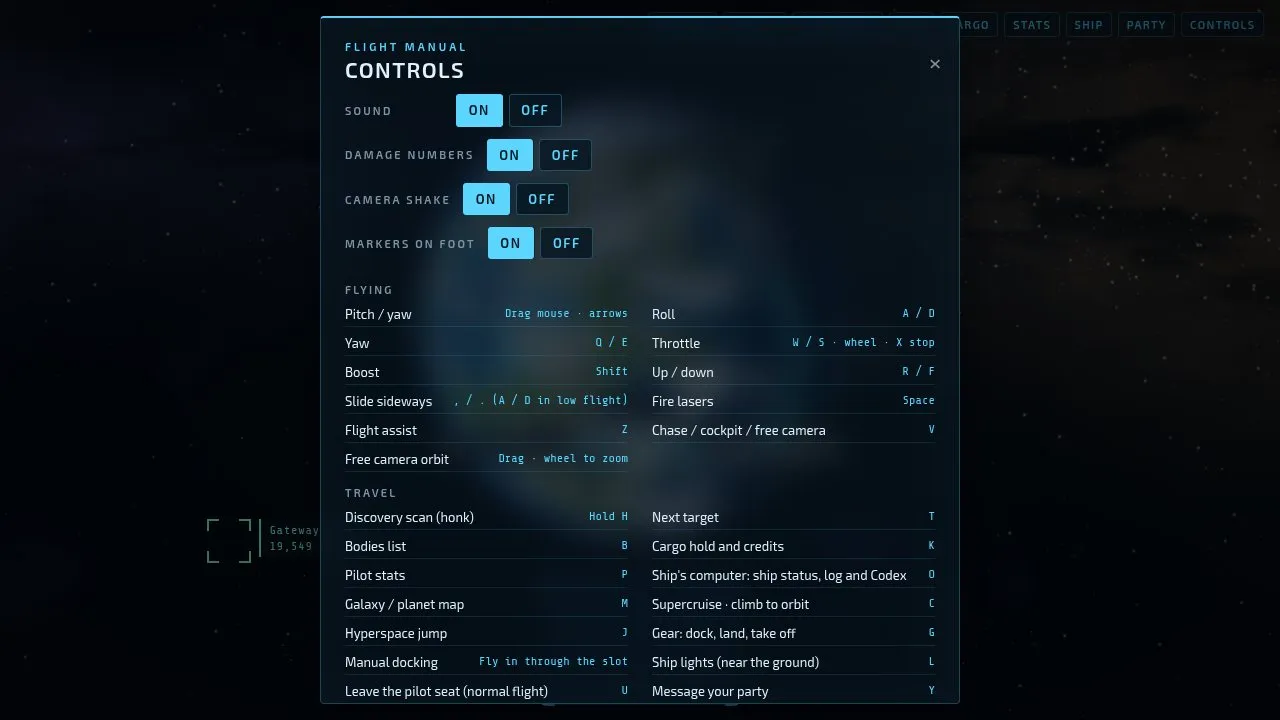
The controls screen also has these switches, kept on each device:
- Sound
- Damage numbers: the numbers that float up from your hits.
- Camera shake: recoil and shake on foot.
- Markers: the markers over signals, your ship and samples, on foot and in low flight.