Scanning and discoveries
The discovery scan
Section titled “The discovery scan”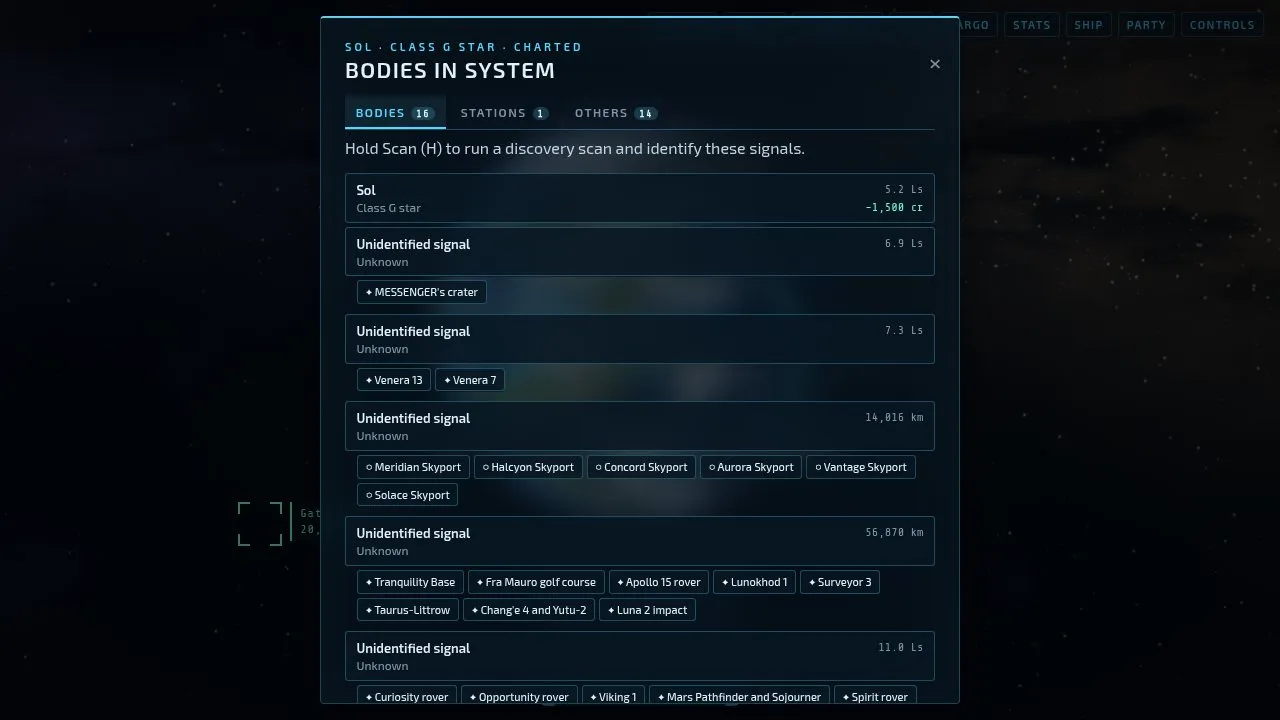
Arriving in a system, hold H (or Scan) to sound the discovery scanner, the “honk”. It reveals the system’s bodies and charts the system. The bodies list (B) then shows them all, with what’s known of each.
Surveying a body
Section titled “Surveying a body”To scan a planet, moon or star properly, make it your target, fly close enough in supercruise, and keep your nose on it until the scan completes. Each body can be scanned once. A better survey scanner (Outfitting) scans faster and from further, and so does the Sextant.
Scanning a world also shows what’s on it: machine sites on dead worlds, and rock fields in the rings of a ringed planet.
Exploration data
Section titled “Exploration data”Every scan goes into your cart as unsold data. Sell it at any station’s Services tab. What it pays depends on the body (Earth-like, ammonia and water worlds pay most of the planets, and white dwarfs, neutron stars and black holes most of the stars) and on the station: a survey array pays more for exotic stars. Data is lost if your ship is destroyed, so don’t carry a fortune of it too long.
The explorer rank follows the lifetime value of the data you’ve sold. See Ranks and records.
First discoveries
Section titled “First discoveries”The galaxy is shared. The first pilot to scan a body is its discoverer for everyone, and that scan pays half as much again. The first to chart a system with the discovery scan is that system’s discoverer. Space near Sol was charted long ago and has no firsts left.
Your first discoveries stay on your record even if you start a new game.
Science notes
Section titled “Science notes”The bodies list and the landed screen carry notes on what you’re looking at, and the galaxy map’s panel says what light from Earth shows of each star. What they say of the real universe is true. Real stars with known planets have exactly those planets, at their real sizes; their moons are made up.
The Codex
Section titled “The Codex”The Codex (in the Ship’s computer, O or the Ship button, and at stations) collects milestones as you go: firsts, kinds of world and star, careers. Many pay a reward when reached.